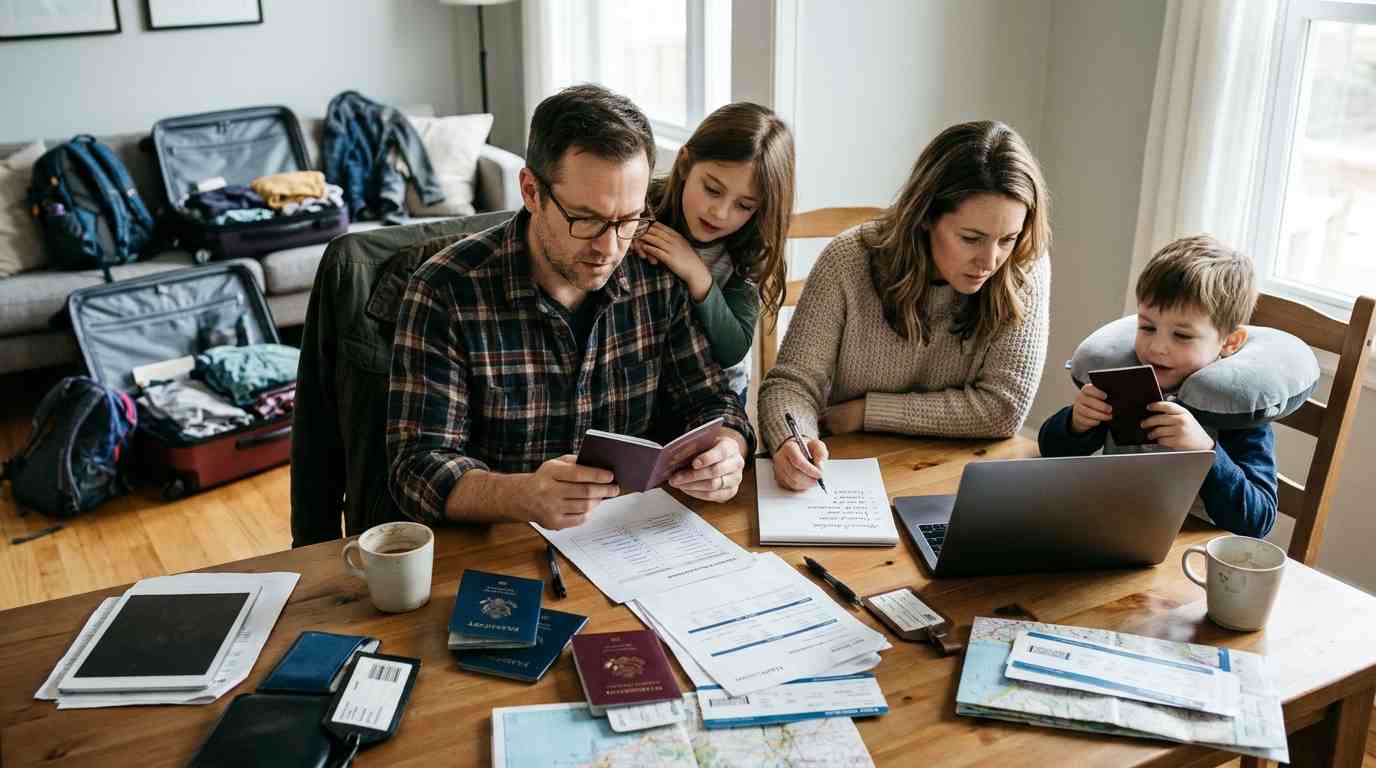
Moving abroad creates far more digital paperwork than most families expect. Passports, school records, contracts, insurance documents, appointments and travel confirmations quickly spread across inboxes, phones and cloud folders. A simple digital relocation system makes every other part of the move easier to manage because the right information remains accessible when decisions become urgent.
Why a digital relocation system matters
International moves usually involve several processes happening at the same time. One parent may be handling housing while another is managing schools, healthcare or transport. Without a shared system, important information becomes fragmented across devices and email accounts.
This creates predictable problems. A document exists, but nobody remembers who received it. A school asks for a certificate that is stored on another laptop. A rental agreement is buried inside an old email thread just when somebody needs to check a clause.
Browser Diet’s family relocation guide for Barcelona already shows why housing, education, commuting and childcare should be treated as connected decisions. The same logic applies digitally: documents should support the relocation plan rather than become another source of friction.
Start with one shared relocation folder
The most useful first step is surprisingly simple: create one main folder that all relevant adults can access. One shared location is better than several perfectly organized private systems because the real objective is reliable access.
A practical structure might look like this:
- Identity: passports, identity cards, birth certificates and official photographs.
- School: reports, applications, certificates, correspondence and enrolment documents.
- Housing: rental contracts, inventories, deposits, utility information and landlord details.
- Health: insurance policies, vaccination records, prescriptions and medical summaries.
- Travel: flight confirmations, accommodation, transfers and transport bookings.
- Finance: bank correspondence, tax documents, payment confirmations and relocation budgets.
- Appointments: booking confirmations, addresses, required documents and reference numbers.
- Moving: inventories, shipping documents, quotes and service-provider contacts.
The structure does not need to be complicated. A folder system succeeds when everyone understands it without explanation. If family members need a manual to find a passport scan, the system has become too elaborate.
Use filenames that make sense six months later
Files called scan001.pdf, document-final.pdf or photo_4832.jpg may seem manageable when they are created, but they become useless once hundreds of documents accumulate. Clear filenames reduce the need to open files just to identify them.
A simple format is:
YYYY-MM-DD + person or subject + document type + destination or organization
Examples include:
- 2026-08-14_Emma_Passport.pdf
- 2026-09-02_School_Application_Barcelona.pdf
- 2026-09-10_Rental_Contract_Apartment.pdf
- 2026-09-18_Family_Health_Insurance.pdf
Dates at the beginning also help files sort chronologically. Consistency matters more than the exact naming convention, so choose one format early and keep using it.
Separate permanent records from temporary paperwork
Not every relocation document deserves the same treatment. Some files may remain important for years, while others lose their value immediately after an appointment or delivery. Separating permanent records from temporary administration prevents clutter.
Permanent records usually include identity documents, school transcripts, insurance policies, contracts, certificates and medical information. Temporary material may include appointment reminders, travel itineraries, quotations and short-term service confirmations.
A useful structure is to create an Archive folder for completed processes. Once a school application is finished or a shipment has arrived, move the related working documents out of the active folder while keeping the final versions.
Keep essential documents available offline
Cloud storage is convenient until the family lands at an airport with weak Wi-Fi, a dead roaming connection or a login that requires two-factor authentication from another device. Critical relocation documents should never depend entirely on internet access.
Before travelling, keep offline copies of the most important items on at least one phone or laptop. These can include:
- Passport and identity-document copies.
- Travel tickets and accommodation details.
- Insurance information.
- Rental address and landlord contact details.
- School address and contact information.
- Emergency phone numbers.
- Appointment confirmations.
- Transport or transfer instructions.
Paper copies can also be useful for a small number of high-priority documents. Digital organization works best when it includes a fallback for situations where technology fails.
Build a family document index
Large folders become easier to manage when there is a simple index explaining what exists and where it is stored. This does not require specialized software. A basic spreadsheet can function as the control panel for the entire move.
| Document | Person | Status | Expiry or deadline | Folder |
|---|---|---|---|---|
| Passport | Parent 1 | Ready | May 2031 | Identity |
| School report | Child 1 | Ready | Not applicable | School |
| Insurance policy | Family | Pending | Before departure | Health |
| Rental contract | Household | Signed | August 2027 | Housing |
The index should answer simple questions quickly: what is missing, what has expired, what requires action and where the final version is stored. The spreadsheet should track status, not become a second filing system.
Use a shared calendar for deadlines and appointments
International relocations generate dates faster than most people expect. School deadlines, embassy appointments, moving dates, tenancy start dates, utility activation and travel arrangements can easily overlap.
A shared calendar turns scattered deadlines into one visible timeline. Each event should include the location, responsible person, relevant reference number and a note describing what must be brought.
Calendar reminders are particularly helpful when a task must happen days before the actual event. For example, an appointment may require documents to be printed, translated or signed in advance.
Assign ownership instead of sharing every task
Shared access does not mean everybody should manage everything. When both adults assume the other person is handling a task, important deadlines can be missed. Every significant relocation process should have one clear owner.
A family might divide responsibilities like this:
- One person manages housing and utilities.
- Another handles schools and childcare.
- One person tracks insurance and healthcare.
- Travel bookings have one designated owner.
- Both adults retain access to the final documents.
The objective is not rigid delegation. Ownership simply removes ambiguity about who is responsible for the next action.
Protect sensitive information properly
Relocation folders often contain some of the most sensitive documents a household owns. Passport scans, birth certificates, bank information and medical records should not be treated like ordinary photographs.
Access should be limited to people who genuinely need it. Cloud accounts should use strong unique passwords and multi-factor authentication. Shared folders should also be checked periodically to confirm that old collaborators or service providers no longer have access.
A password manager is useful because international moves often create new accounts for utilities, banks, schools, insurance providers and local services. Reusing the same password across those systems creates unnecessary risk.
Plan for account access before changing phone numbers
One of the easiest relocation problems to overlook is two-factor authentication. Many accounts still send verification codes by SMS. Changing or cancelling a phone number too early can lock families out of essential services.
Before leaving, review accounts linked to the old number and update authentication methods where possible. Banking, email, cloud storage, government services and password managers deserve particular attention.
Authenticator apps and backup codes can reduce dependence on a single phone number. Store backup codes securely and separately from the primary device.
Scan paper documents before the move
Some institutions still provide important records only on paper. School certificates, medical records, notarized documents and official letters may need to survive several months of packing and travel.
Scan important paper documents before they enter a moving box. The digital copy should be readable, complete and saved in the same filing structure used for other relocation records.
For documents with signatures, stamps or annotations, scan the full page rather than photographing only the relevant section. Where official originals are required, digital copies are still valuable because they make it easier to check information while the physical document remains stored safely.
Keep school records together from the beginning
Families moving with children often underestimate how many documents schools can request. Reports, transcripts, vaccination information, recommendations, identification and previous-school contact details may all be needed at different stages.
Create one school folder per child instead of mixing every education document together. Within that folder, separate applications, academic records and final enrolment documents.
The Browser Diet guide to moving to Barcelona with children emphasizes that education decisions affect housing and daily routines. Digitally, school information deserves the same early attention because missing documentation can delay decisions that influence the rest of the move.
Create a moving inventory before packing
A digital relocation checklist should cover physical possessions too. Once dozens of boxes are packed, a searchable inventory becomes much more useful than handwritten labels alone.
A simple spreadsheet can include box number, room, important contents and whether the box contains fragile or high-value items. Photographs can be helpful for expensive equipment or household goods, particularly when insurance is involved.
| Box | Room | Main contents | Priority |
|---|---|---|---|
| 01 | Kitchen | Everyday cookware | Open first |
| 07 | Children | School materials and books | Open first |
| 14 | Office | Cables and accessories | Normal |
| 22 | Storage | Seasonal clothing | Low |
This inventory becomes particularly useful if shipments arrive separately. The family can identify what is available without opening every box.
Keep communication out of scattered inboxes
Email remains unavoidable during relocation, but it should not become the permanent storage system for every decision. Important messages can disappear beneath newer conversations or remain accessible to only one person.
Move final information out of email and into the shared system. Save contracts, confirmations and attachments in their correct folders. If an email contains an important decision but no attachment, record the relevant details in a note or project tracker.
Productivity tools can help families summarize information and organize repetitive administrative work. Browser Diet’s guide to Microsoft 365 Copilot and workplace productivity illustrates how modern digital tools can assist with documents, summaries and collaboration. The principle applies equally well to a household managing a complicated international move.
Create a simple relocation dashboard
Once the move becomes complex, families may benefit from one page showing the current status of major decisions. A relocation dashboard should answer what is done, what is pending and what happens next.
This can be a spreadsheet, task board or shared document containing:
- School status.
- Housing status.
- Travel bookings.
- Insurance status.
- Utilities.
- Document deadlines.
- Moving-company arrangements.
- Important appointments.
Keep it short. The dashboard should link to detailed documents rather than reproducing them. Its job is to provide orientation, not to become another administrative project.
Separate decisions from research
Relocation research can become overwhelming because families often keep dozens of links, screenshots and comparison documents. Eventually, nobody remembers which information is still relevant.
Create a distinction between options being researched and decisions already made. Once the family chooses a school, insurer or moving company, move the rejected alternatives into an archive rather than leaving them mixed with active information.
This reduces confusion later. A family member opening the housing folder should immediately see the current contract, not eight apartments that were considered two months earlier.
Use technology to reduce repeated work
Digital tools are most valuable when they eliminate repetitive administrative effort. For example, templates can standardize emails, spreadsheets can track deadlines and shared documents can prevent multiple family members from recreating the same information.
Automation should simplify the process rather than create another system to maintain. A complicated workflow with multiple apps may be less reliable than one shared drive, one spreadsheet and one calendar.
The right level of technology depends on the complexity of the move. A household relocating temporarily may need very little infrastructure, while a family coordinating several children, international shipping and property arrangements may benefit from a more structured project-management approach.
Prepare a digital first-week folder
The documents needed immediately after arrival are different from those used during the months of planning. Create a dedicated first-week folder before travelling so essential information does not have to be searched for while the family is tired or unfamiliar with the new city.
Useful items include:
- Home address and access instructions.
- School addresses and start dates.
- Local transport information.
- Insurance numbers.
- Emergency contacts.
- Banking information.
- Appointments scheduled during the first week.
- Utility and internet activation details.
This folder can be stored offline on each adult’s phone. The first week should require as little administrative searching as possible.
Review permissions after the relocation
Relocation systems often accumulate temporary access. A moving company, accountant, school administrator or relocation consultant may receive documents during the process.
Once the move is complete, review who can access shared files and remove permissions that are no longer necessary. The same review should include old devices, shared links and temporary accounts.
This is also a good moment to archive completed processes and move permanent documents into the household’s normal long-term filing system.
A practical digital checklist before departure
Digital organization is most effective when completed before the final days of packing. The objective is to travel with a system that is already working, rather than trying to build one after arrival.
- Create one shared relocation folder.
- Organize documents by subject rather than file type.
- Rename important files consistently.
- Scan essential paper documents.
- Create a document index with deadlines.
- Add appointments and key dates to a shared calendar.
- Assign one owner to each major relocation task.
- Enable strong passwords and multi-factor authentication.
- Review accounts connected to the current phone number.
- Save critical travel and identity documents offline.
- Create a moving inventory.
- Prepare a dedicated first-week folder.
- Archive rejected options and completed tasks.
- Review file permissions after the move.
A family does not need sophisticated software to manage an international relocation well. The most effective digital system is predictable, shared and easy to maintain. When documents are organized, deadlines are visible and responsibilities are clear, technology fades into the background and the family can focus on adapting to the new home instead of searching for paperwork.